
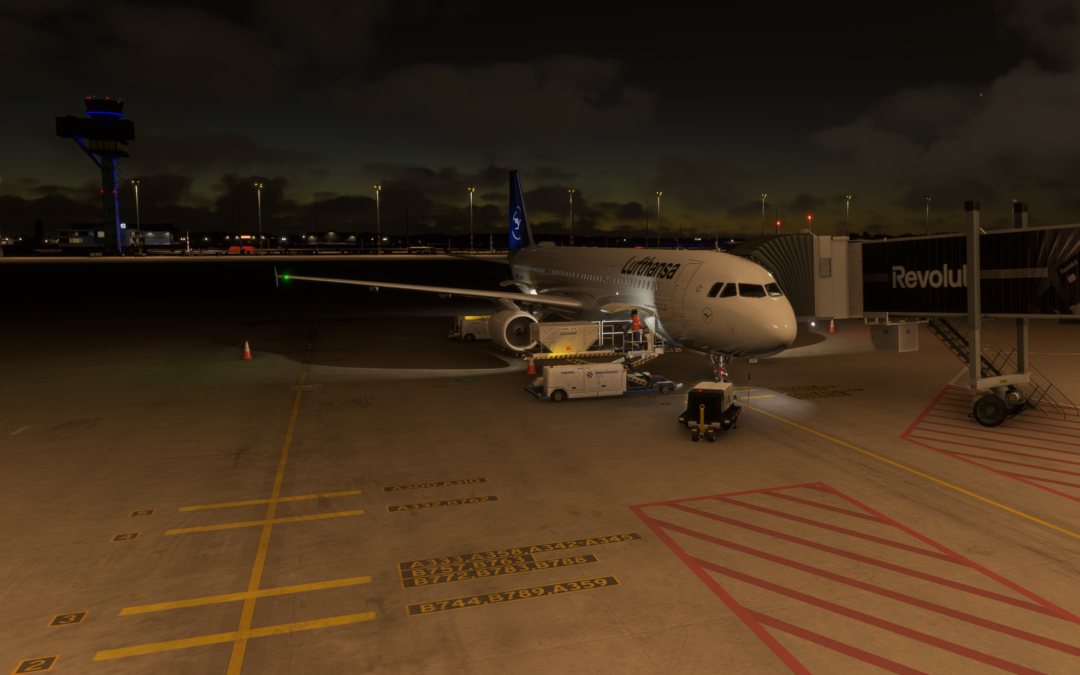
New in fsAirSync 0.7.5
You know the feeling: after two hours you land in Nuremberg, proudly taxi to the gate, shut everything down – and on your next flight the very same Airbus is suddenly back in Frankfurt. Freshly washed, fully fuelled and with no memory whatsoever of what happened yesterday. Like a bad soap opera.
Not anymore. With RealPlanes, aircraft on fsAirSync finally get a memory.
What is a RealPlane?
A RealPlane is one specific aircraft with its own registration, for example D-AIND. It exists exactly once on the network, and it always stands exactly where the last pilot parked it. Not roughly. Exactly. Gate, position, heading – all of it.
You take it over, fly your leg and park it at your destination. The next pilot finds it right there and carries on. That builds a real rotation, leg by leg, just like real airline operations. Minus the union.
How it works
- Load your plan. Load your SimBrief plan in the client. If a matching RealPlane is parked at your departure airport, a selection appears below the aircraft type.
- Pick your aircraft. Choose your aircraft. If the registration is already in your SimBrief plan, it is even preselected. We have manners.
- Start the flight. The client briefly asks whether you want to take it over, then puts you exactly at the parking position where your predecessor left it. No searching, no „which gate was it again?“.
- Fly. The aircraft is yours now. Nobody can snatch it away from you – anyone who tries gets a polite „Already in use“.
- Park it. At your destination, park, set the parking brake or switch the transponder off, click „Finish leg“ – done. The status line tells you where your aircraft is parked now.
After that the aircraft gets a short ground time, usually 15 minutes. Cleaning, fuelling, coffee for the crew. Only then is it available again – for you too.
About that diversion
The plan said Munich, the weather had other ideas? No problem. The aircraft stays where you actually landed. The next pilot simply continues from there. Just like real life, except nobody can complain to customer service.
A quick word to all shortcut artists
Of course we tried it ourselves: take over the aircraft, quickly beam it to your favourite gate with GSX, along the lines of „nobody will notice“.
Somebody did notice. The client.
If you jump instead of taxiing after the take-over, you lose the RealPlane. Your flight carries on as normal, just without it – the aircraft stays put at its old position and waits for someone who means business. Pushback and taxiing are perfectly fine, of course. Teleporting just isn’t a ground procedure.
Bonus? Bonus!
For every leg in which you take over a parked RealPlane and actually take off and land, you get +10 ActiveXP on top. Even if you keep flying the aircraft you parked yourself. Hard work pays off.
Where do I find the aircraft?
- On the map: At fsairsync.net/realplanes you see all RealPlanes with their location and status. Every aircraft has its own page with its last legs – its logbook, so to speak.
- In your area: Under My area → RealPlanes you find every aircraft you are allowed to fly: the global ones, the ones of your VA and those other VAs have opened to everyone.
- On the live map: Whoever is flying a RealPlane now shows its registration next to the callsign. Yes, we can see you.
And the VAs?
Virtual airlines can build their own RealPlane fleet. Once an admin enables it for your VA, you as the owner create your aircraft under Manage RealPlanes – with registration, aircraft type, home base and, if you like, even the matching SimBrief profile. You decide whether only your members may fly them or everyone. A map with your fleet’s locations comes free of charge.
A few house rules
A RealPlane is a team effort. So the next pilot has fun too:
- Park properly. At a gate or on a stand – not on the taxiway, not in the grass, not across two positions.
- Suitable airports. An A388 at a regional airport might be funny, but it isn’t realistic. Fly to airports that could handle the aircraft in real life.
- Realistic routes. A long-haul jet for a 50-mile hop? No. Just no.
The details are in the rules of use under section 5.
What you need
- the fsAirSync client version 0.7.5 or later
- a SimBrief flight plan (no plan, no selection)
- Microsoft Flight Simulator
Everything else is explained in the RealPlanes help.
So: update the client, load your plan, grab an aircraft. D-AIND is already waiting. Somewhere. Exactly where the last pilot left it.
See you on the network!